Create a voiceover
Paste your text, choose a voice and generate natural speech.
Text to Speech turns any text into a natural voiceover you can download and use in your videos.
Make a voiceover
- Open Text to Speech from the sidebar.
- Type or paste your text into the workspace.
- Choose a voice model and a voice in the panel on the right.
- Press Generate speech.
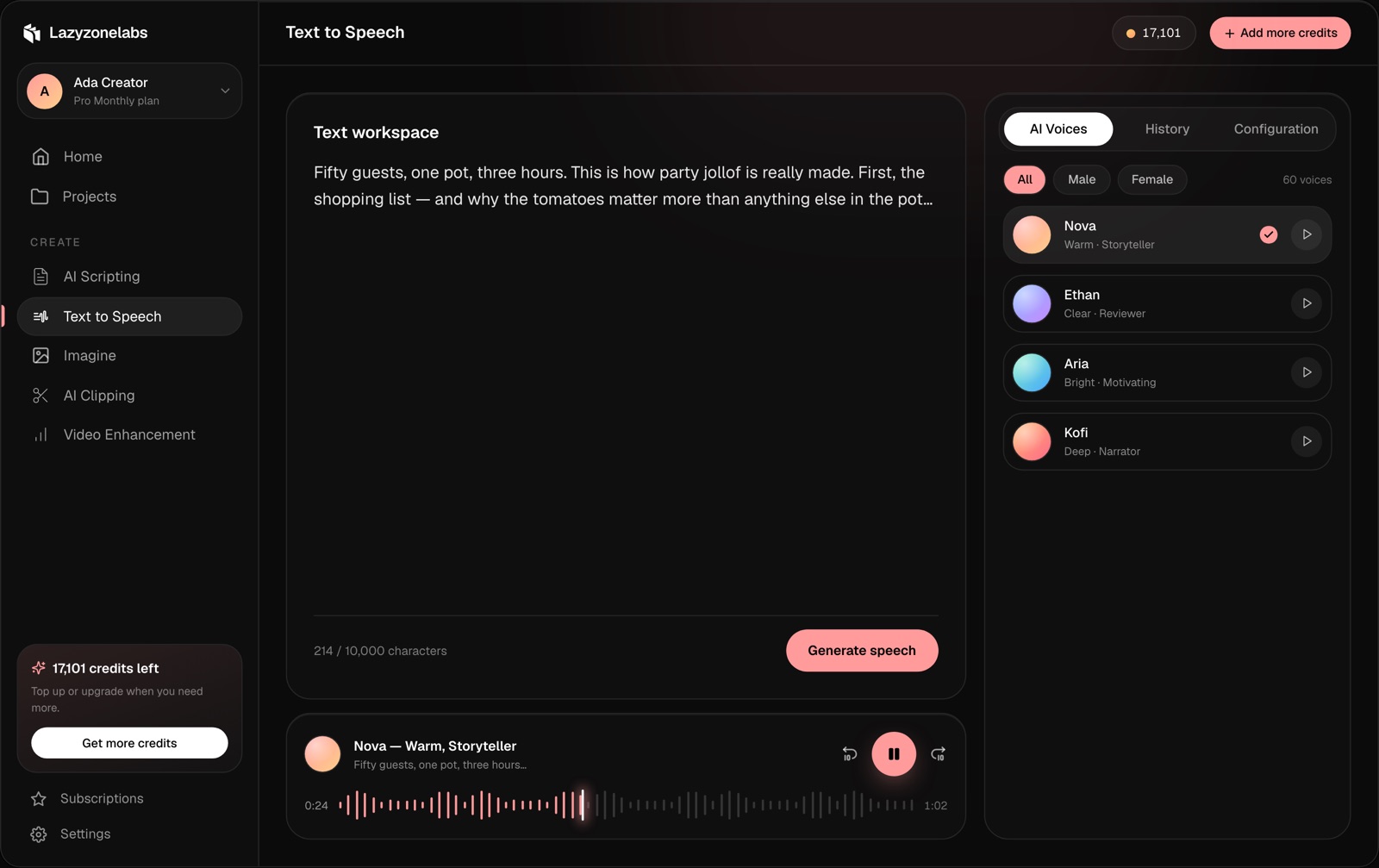
When it’s ready, play it in the player at the bottom of the page or download it.
Text limit
How many characters you can voice in one generation depends on your plan. The counter under the text shows how much you’ve used. For longer scripts, generate in parts.
Voices on your plan
Your plan sets how many voices you can choose from. See Plans and pricing.