Introduction to Spaces
Connect script, voice and image steps into a workflow you can run again.
Spaces is a canvas for building AI workflows. Each step is a node; connect them and run the whole chain at once.
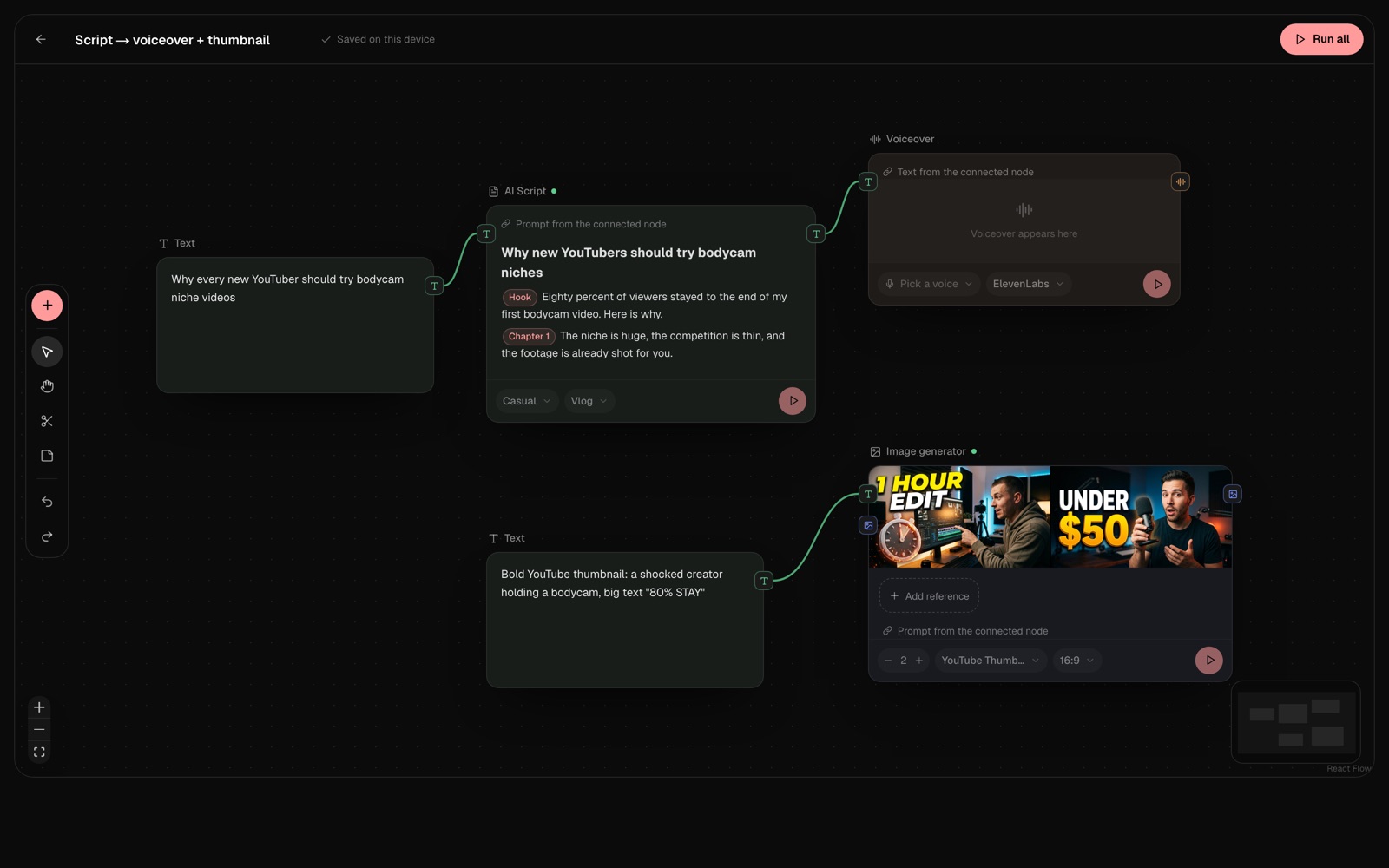
Build a workflow
- Open Spaces and create a space.
- Add nodes from the toolbar: text, AI Script, Voiceover or Image generator.
- Drag from one node’s handle to another to connect them. A connected node uses the output of the one before it.
- Press Run all to run the workflow, or run a single node with its play button.
Reuse it
Change the text at the start of the chain and press Run all again to get a new script, voiceover and images with the same setup.