Lesson 4 of 5
Your first images
Create scenes and a thumbnail with Imagine.
Videos need visuals. Imagine creates them from a description.
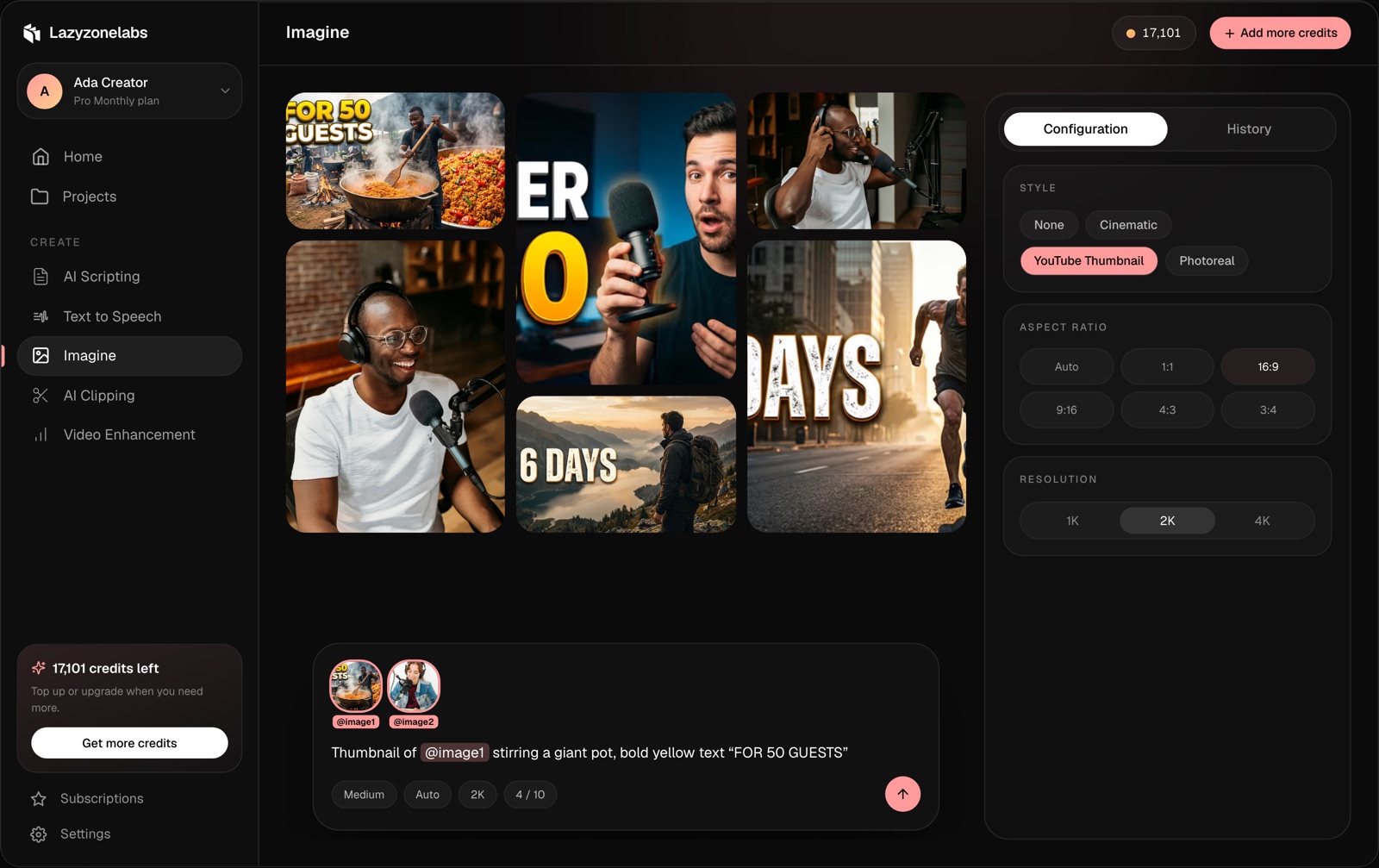
Try it
- Open Imagine.
- Describe a scene from your script.
- Choose an aspect ratio that matches your video: 9:16 for Shorts, Reels and TikTok, 16:9 for YouTube.
- Set batch size to 4 to get options.
- Check the cost on the button, then generate.
Make a thumbnail
Choose the YouTube thumbnail style and ask for bold text, for example:
Example prompt
A shocked creator holding a camera, bold yellow text “80% STAY”
Keep a character consistent
Upload a photo as a reference and mention it with @ in your prompt. Using references.